ARVO
The quiet operating room for a music school.
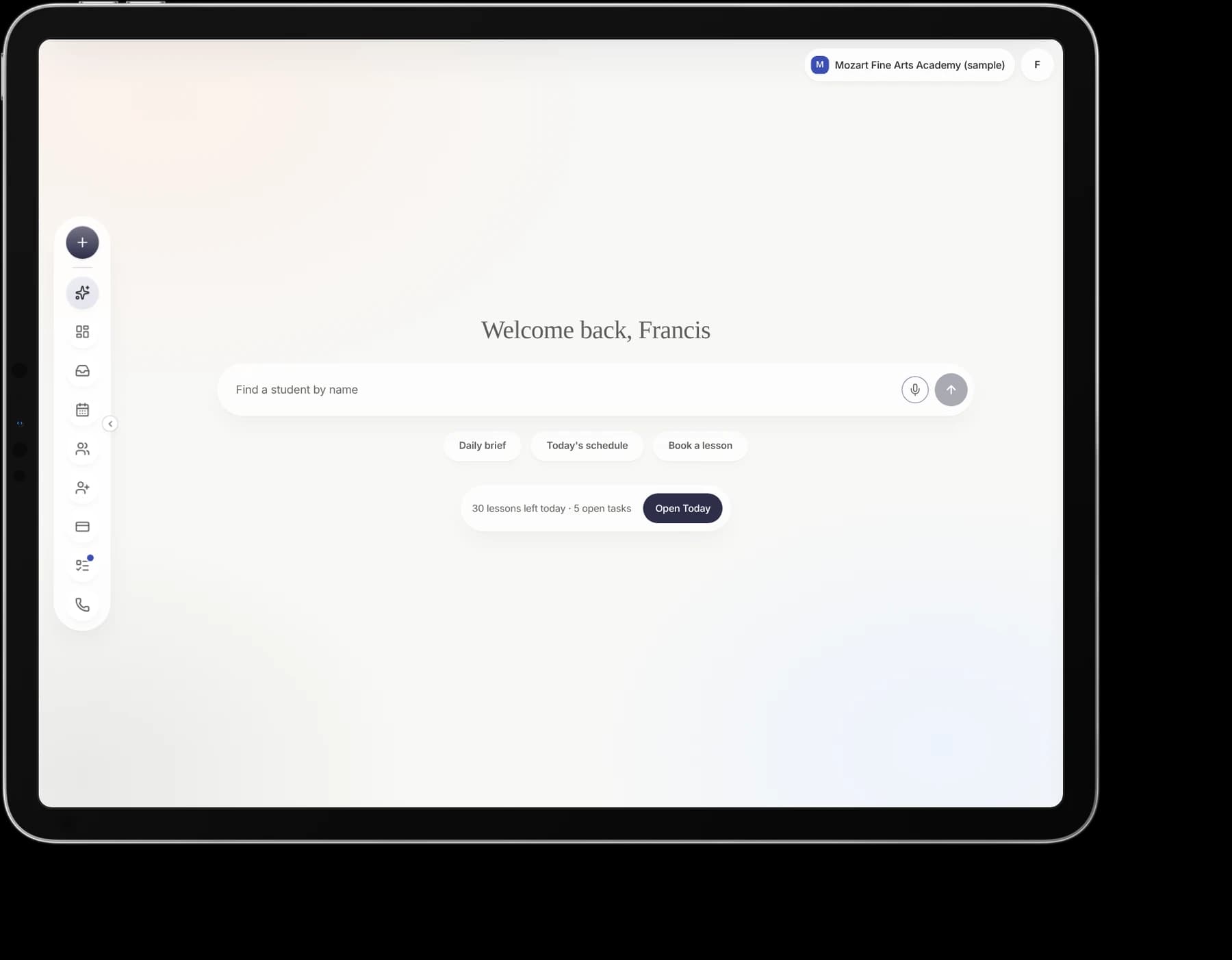
As Co-founder & Chief Creative Officer, Misty leads ARVO's brand, product design and design system. V1 puts a school's whole day behind one command line, and lets an owner run it by talking.
Voice is a state of home, not a surface.
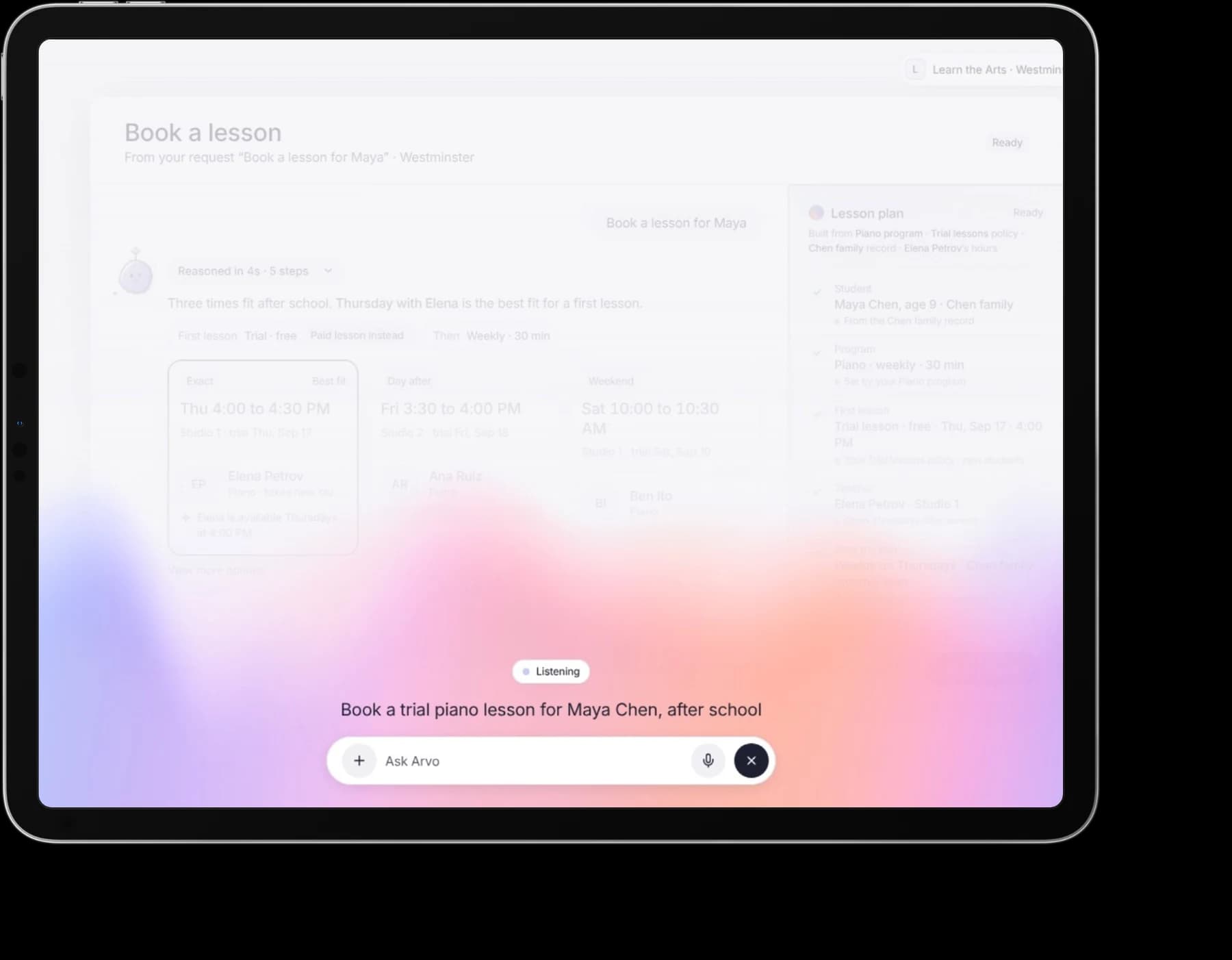
An owner says it the way they would say it to a colleague: “Book a trial piano lesson for Maya Chen, after school.” The Aurora rises along the bottom of the screen while Arvo listens, and the work stays in place behind it.
Arvo answers with a plan built from the school’s own records: three times that fit after school, the best one marked, and a lesson plan drawn from the Piano program, the trial lesson policy and Elena Petrov’s hours. Nothing is booked until someone says so.
Every decision the day needs, behind one command line.
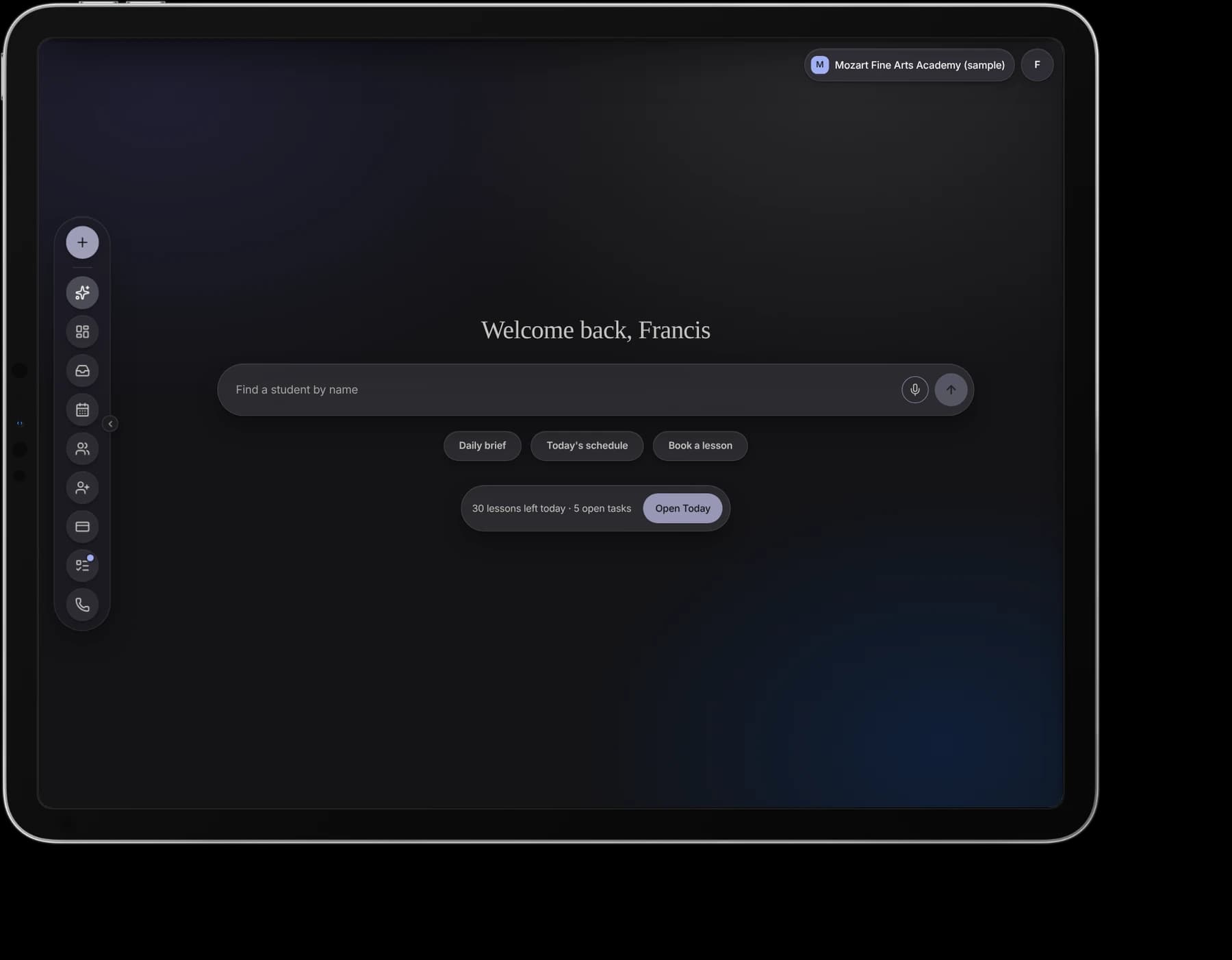
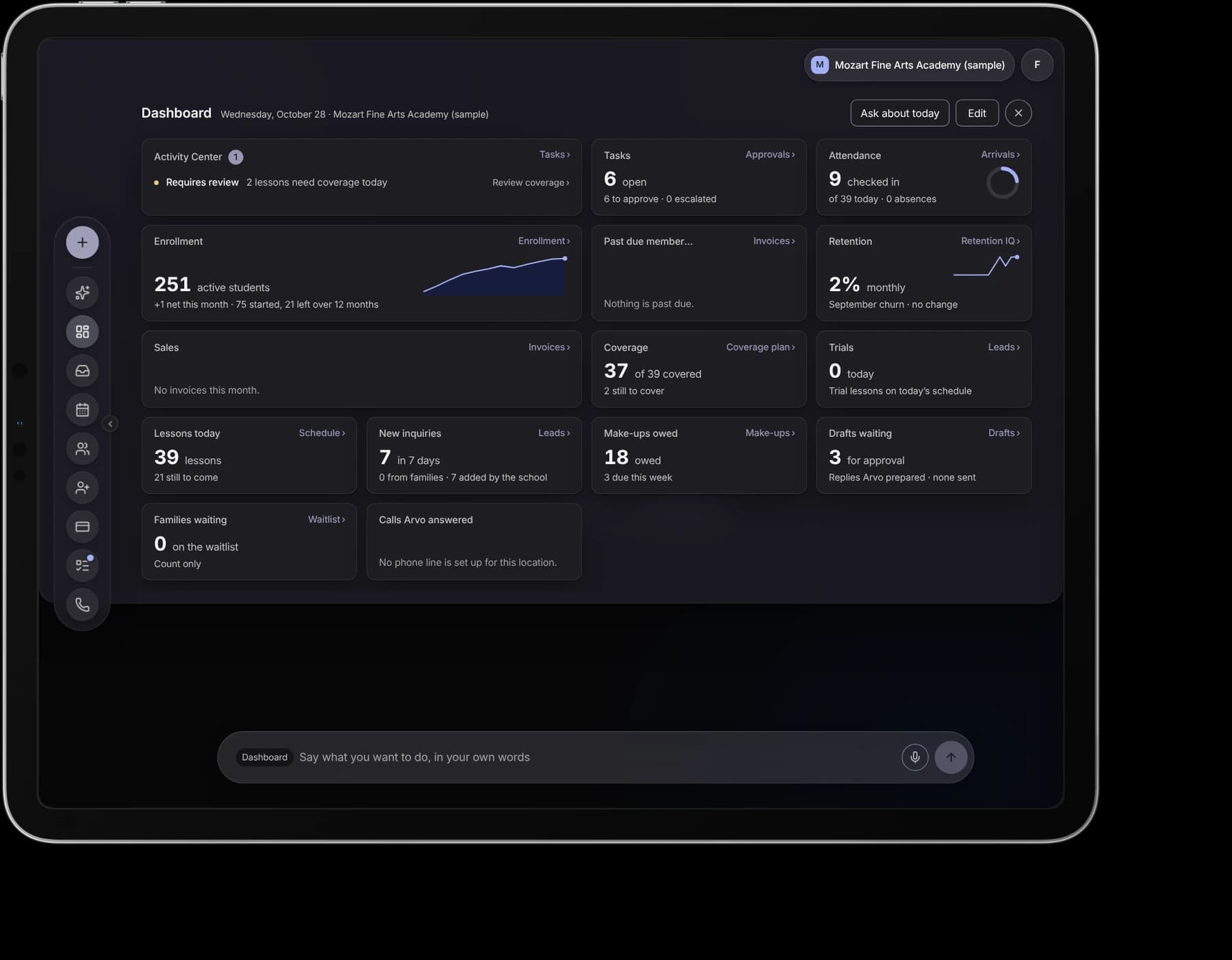
Home opens on a greeting, one command line and what is left today. Pull down the Dashboard and the day is laid out: the Activity Center’s decisions, tasks to approve, attendance, enrollment, coverage, inquiries, make-ups owed and the drafts waiting for a person.
The same desk, in a pocket.
On a phone the rail becomes a row above the command line: Actions first, then every destination. The same Dashboard and the day’s schedule are one tap away, laid out for one hand.
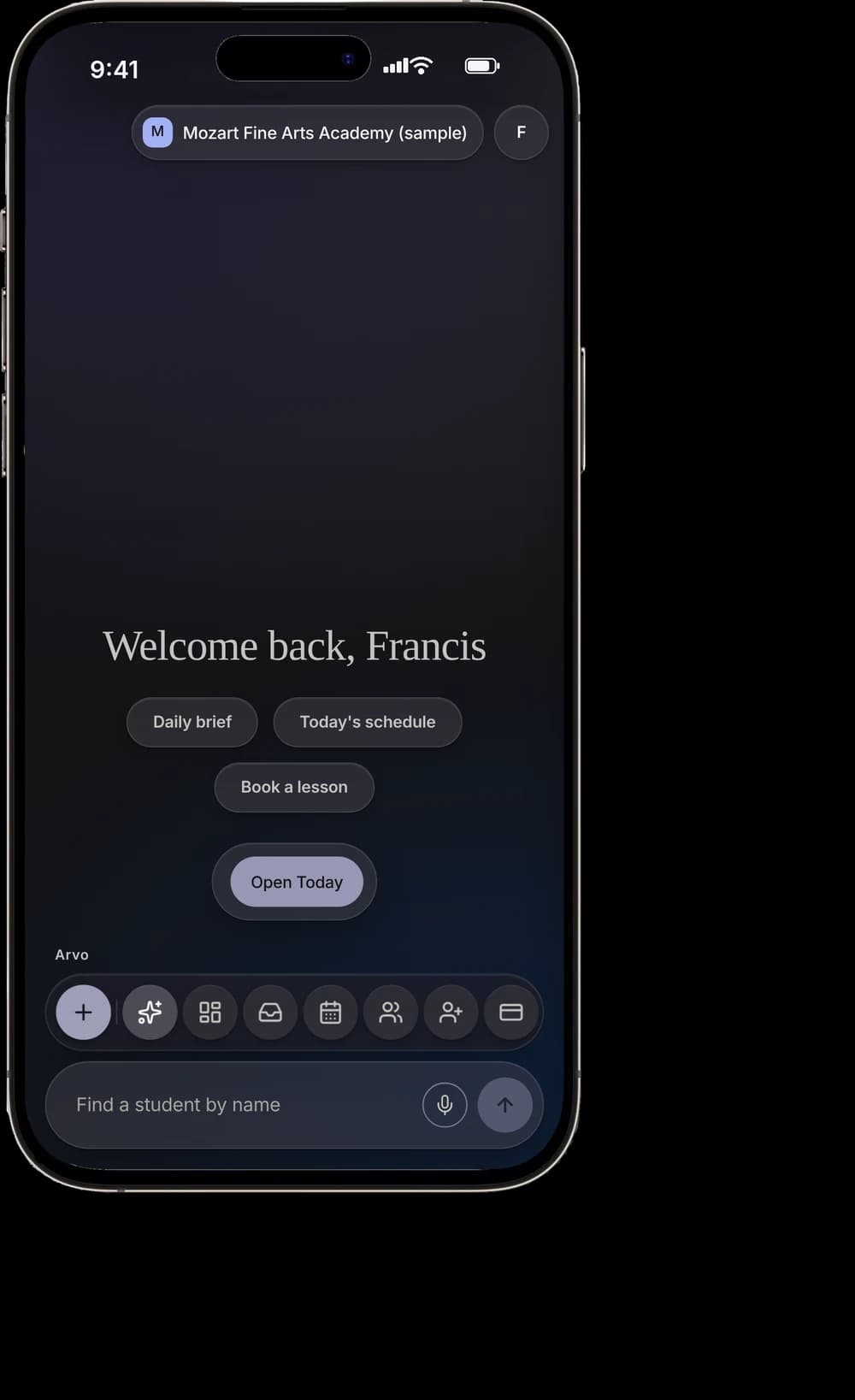
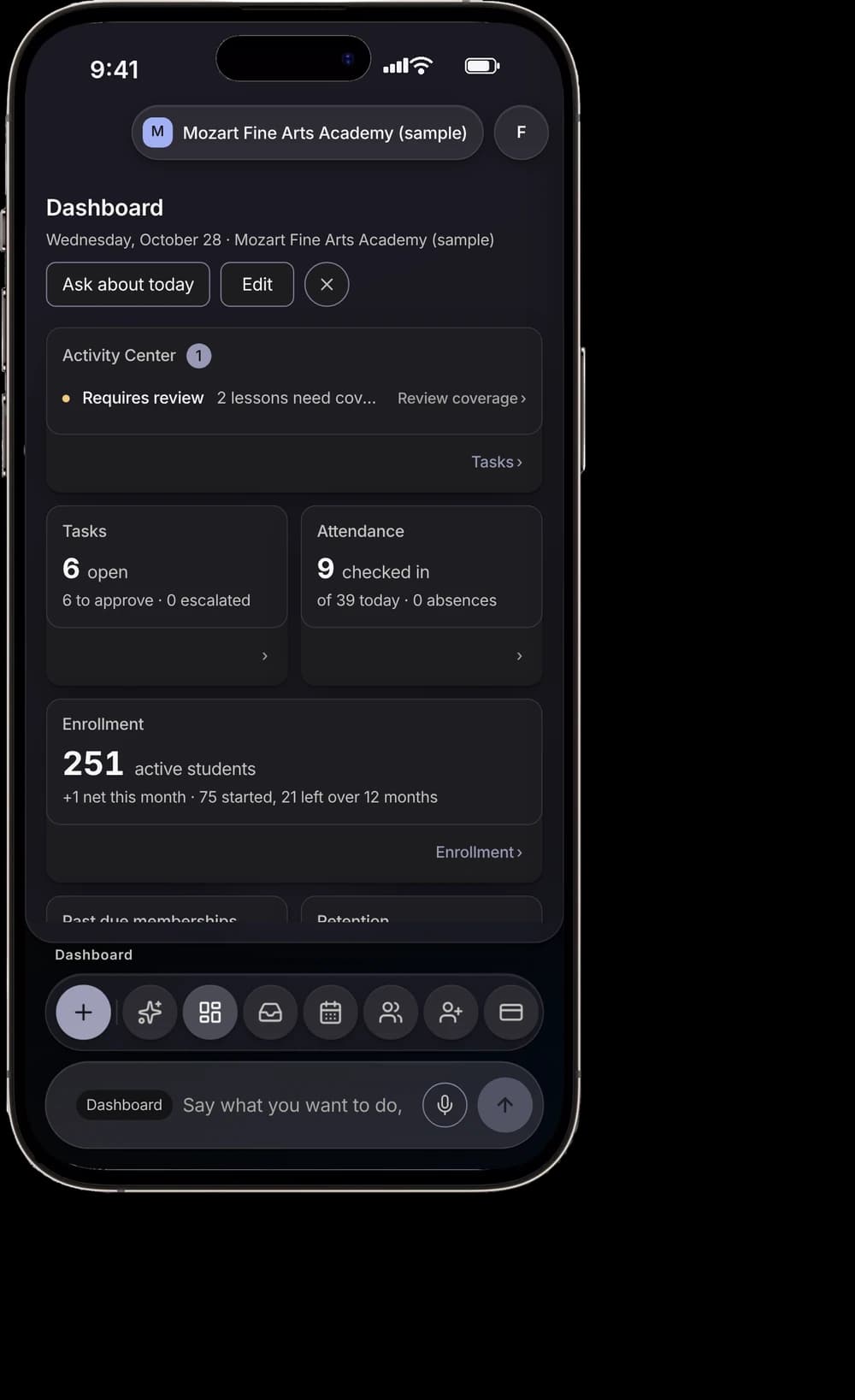
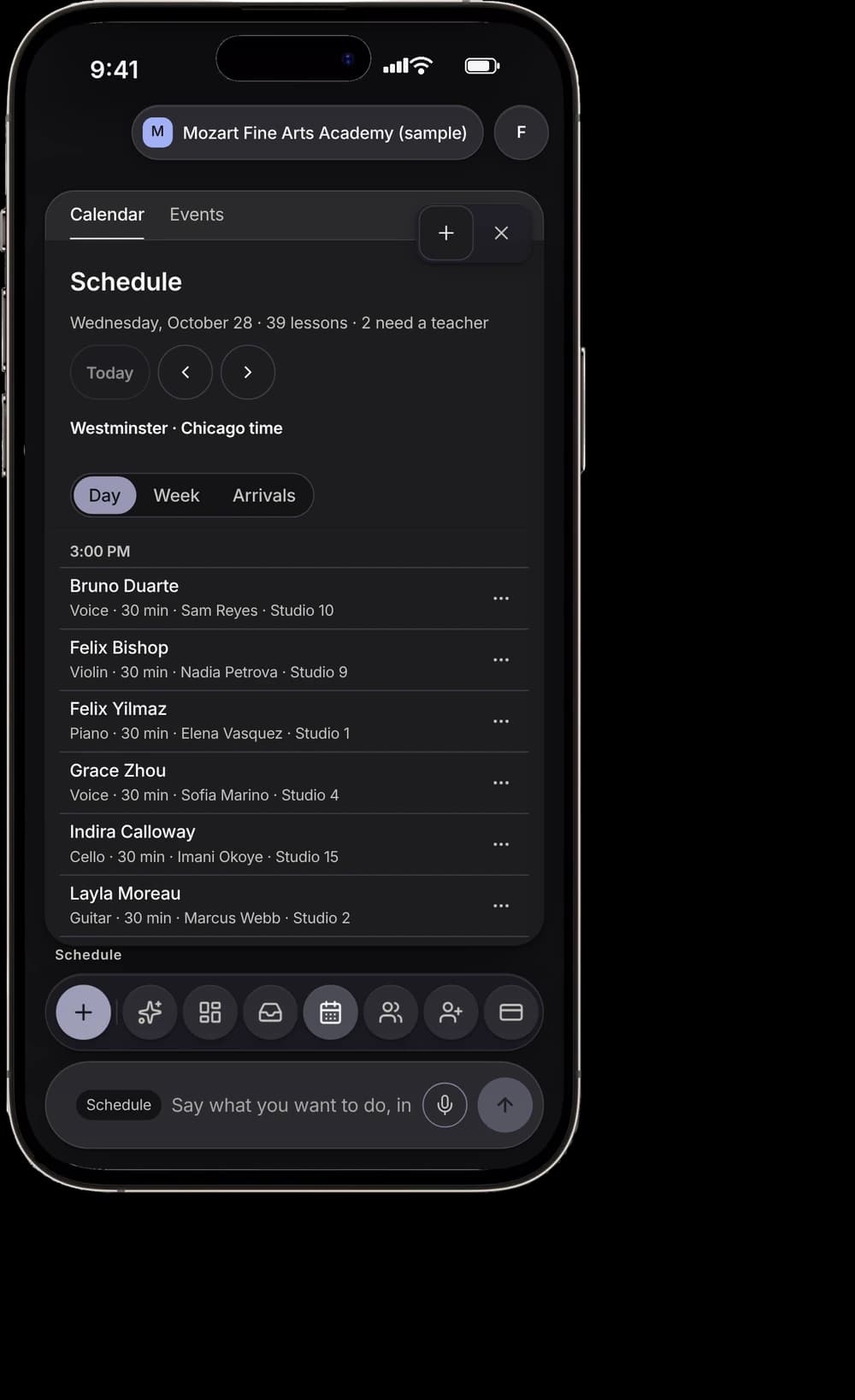
Arvo drafts. A person approves.
Today gathers what the desk needs: the lessons still to come, the day’s tasks and the replies Arvo has drafted. Each draft is marked “Requires approval”, and nothing reaches a family until a person sends it.
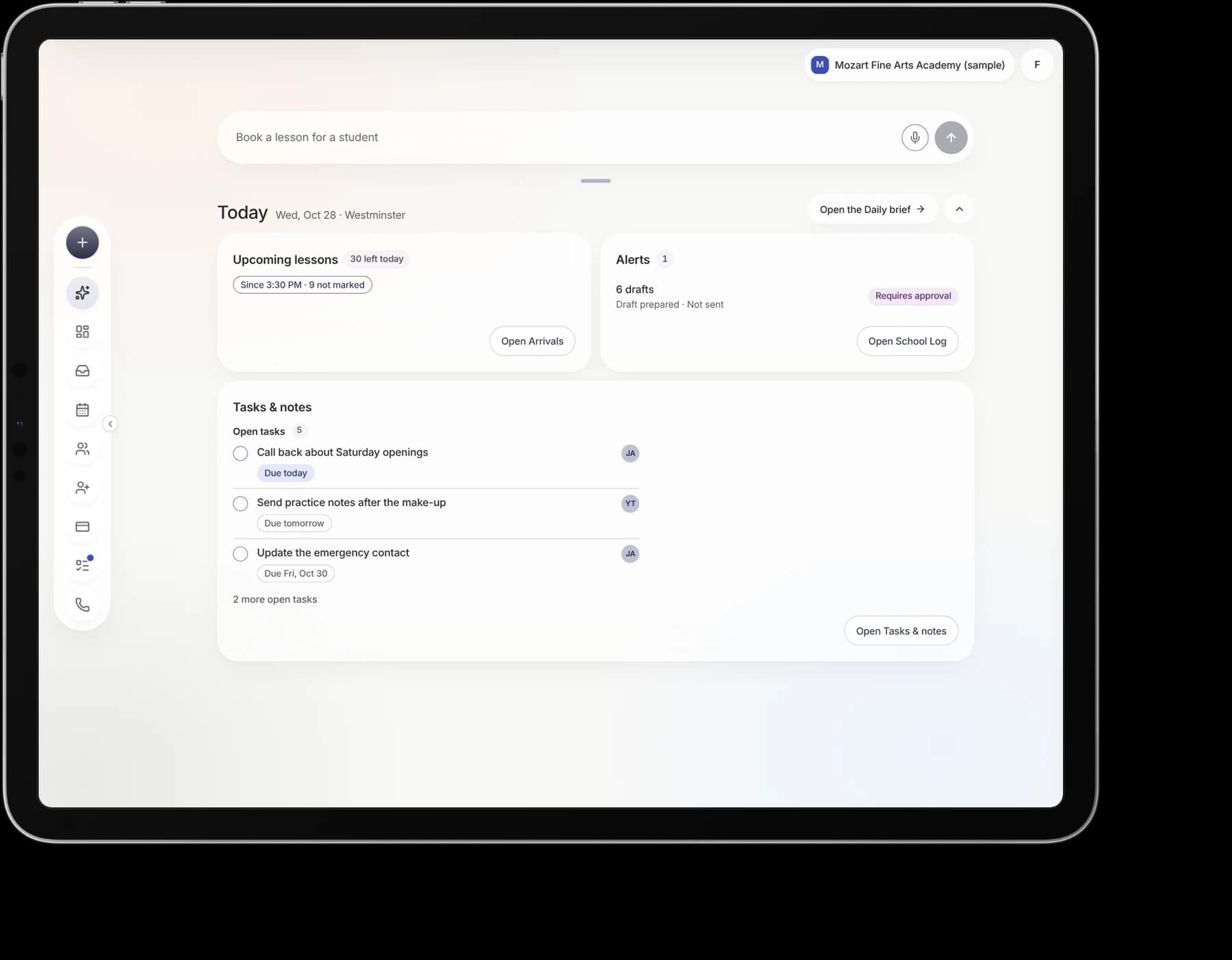
Screens from the ARVO V1 release, rendered at each device’s size on sample data. Every name and figure is a fixture.
Who it serves
- Owner opens the Command Center to see what needs a decision today.
- Manager and front desk live in the inbox, schedule, enrollment and make-ups, and need density.
- Teacher sees their own day, pay and students.
- Family books, pays and messages: home, lessons, messages, tuition, make-ups.
- Student sees their own lessons and materials.
Design principles
Recommend, then release.
Where ARVO proposes work, a person approves it, and the screen says so.
Interaction before visuals.
Design, approve, wire. Never wire ahead of a board.
One filled primary per decision.
Everything else is secondary glass or a quiet text action.
Colour never carries meaning alone.
Cover the colour; if the state still reads, it holds.
Contrast is computed.
4.5:1 for text; 3:1 for large text, icons, control borders and focus rings.
Every value resolves to a token.
No token, no value. Never round to a plausible number.
How it is planned
Every screen is drawn on a design canvas before anything is built. The V1 canvas holds 270 artboards across six pages, from the spatial model and the schedule to each portal.
Each board is tracked for the states it still owes, such as loading, empty, error and mobile. Drawn, accepted and built are three separate questions, answered separately, so no single percentage hides what is left.
Schools join in steps: a guided preview first, then a read-only pilot, then go-live.